
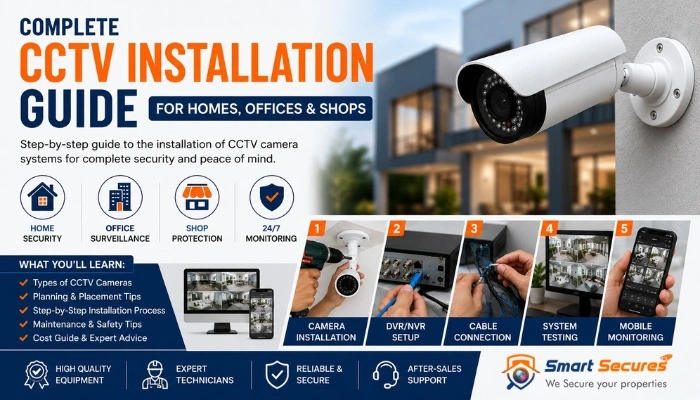
Before installing a CCTV system, it is important to create a proper surveillance plan. The number of cameras, their locations and the type of equipment you need can vary significantly between a home, office and shop.
A good CCTV installation plan helps you cover important areas, reduce blind spots and avoid spending money on unnecessary cameras or equipment.
This guide explains how to plan CCTV coverage for different types of properties and what you should consider before installation.
- Why CCTV Planning Is Important
- Start with a Property Security Survey
- CCTV Planning for Homes
- CCTV Planning for Offices
- CCTV Planning for Shops
- How to Plan Camera Placement
- Choosing the Right CCTV Equipment
- How Many Cameras Do You Need?
- Planning Recording and Storage
- Common CCTV Planning Mistakes
- When to Get Professional Help
- Frequently Asked Questions
1. Why CCTV Planning Is Important
Installing CCTV cameras without a plan can result in poor coverage, unnecessary expenses and important blind spots. A security system should be designed around the property and the areas that actually need monitoring.
Proper planning helps you decide:
- Which areas need CCTV coverage
- How many cameras may be required
- Where cameras should be positioned
- Which camera types are suitable
- How footage will be recorded and stored
- Whether remote viewing is required
The goal is not simply to install the maximum number of cameras. The goal is to achieve useful and reliable coverage.
2. Start with a Property Security Survey
Before choosing CCTV equipment, walk around the property and identify areas where security monitoring would be useful.
Look for:
- Main entrances and exits
- Back doors and secondary entrances
- Parking areas
- Cash handling locations
- Storage rooms
- Reception areas
- Corridors and staircases
- Property boundaries
Also consider the lighting conditions, distance between important areas and possible obstacles that could block a camera view.
3. CCTV Installation Planning for Homes
Home CCTV systems are generally designed to monitor entry points and outdoor areas. The best setup depends on whether you live in an apartment, independent house or villa.
Important Areas to Consider
- Main door
- Front gate
- Driveway
- Parking area
- Back entrance
- Garden or outdoor area
Home CCTV Planning Tips
Focus on entry points first. A camera should provide a useful view of people approaching and entering the property.
For outdoor cameras, consider weather protection and night-time visibility. Avoid placing cameras where trees, walls or other objects can block the view.
For more help choosing a suitable system, read our guide to choosing the best CCTV camera for home use.
4. CCTV Installation Planning for Offices
Office CCTV planning is different from home surveillance because offices often have multiple rooms, employees, visitors and valuable equipment.
Common Office CCTV Locations
- Main entrance
- Reception area
- Corridors
- Server or equipment rooms
- Storage areas
- Parking areas
Camera placement should focus on security requirements while respecting privacy. Cameras should not be installed in areas where surveillance would be inappropriate.
If you need help determining the number of cameras required, read our guide on how many CCTV cameras an office may need.
5. CCTV Installation Planning for Shops
Retail shops require CCTV coverage to monitor customer movement, entrances and important business areas.
Important Shop CCTV Locations
- Shop entrance
- Cash counter
- Sales floor
- Storage room
- Rear entrance
Camera angles should provide useful visibility without unnecessary overlap. A clear view of important business areas can help improve security monitoring.
6. How to Plan CCTV Camera Placement
Camera placement should be planned according to what you need to see, rather than simply where it is easiest to install a camera.
Consider the Viewing Angle
A wide viewing angle can cover more area, while a narrower field of view may capture greater detail over a specific area.
Check Lighting Conditions
Bright windows, headlights and direct sunlight can affect image quality. Check how lighting changes during different times of the day.
Reduce Blind Spots
Walk around the property and identify corners or areas that cannot be seen from the planned camera positions.
Read our detailed guide to positioning CCTV cameras and avoiding blind spots.
7. Choosing the Right CCTV Equipment
The equipment you choose should match the size and requirements of the property.
Camera Type
Common options include dome cameras, bullet cameras, IP cameras and WiFi cameras. Each type can be suitable for different environments.
Camera Resolution
Higher resolution can provide more image detail, but storage requirements may also increase.
Indoor or Outdoor Cameras
Outdoor cameras should be suitable for environmental conditions and positioned to provide reliable coverage.
DVR or NVR
Your recording system should be compatible with the cameras you choose.
Learn more about recording systems in our DVR vs NVR guide.
8. How Many CCTV Cameras Do You Need?
There is no single number that works for every property. The number of cameras depends on the layout and the areas that need monitoring.
| Property Type | Areas to Consider |
|---|---|
| Apartment | Main entrance and important internal areas |
| Independent Home | Entrances, parking, outdoor areas and property access points |
| Small Office | Entrance, reception, corridors and important rooms |
| Retail Shop | Entrance, sales area, cash counter and storage |
A property survey is the best way to determine the required coverage.
9. Planning CCTV Recording and Storage
Before installing a CCTV system, consider how long you need to keep recorded footage.
Storage requirements depend on:
- Number of cameras
- Camera resolution
- Recording hours
- Continuous or motion-based recording
- Required retention period
A system with multiple high-resolution cameras will generally require more storage than a small basic setup.
10. Common CCTV Planning Mistakes
Choosing Cameras Before Planning Coverage
Start with the property and security requirements before selecting equipment.
Ignoring Blind Spots
Check corners, secondary entrances and areas behind obstacles.
Using Too Many or Too Few Cameras
More cameras do not automatically mean better security. Each camera should have a useful purpose.
Ignoring Night-Time Conditions
Check whether important areas have adequate lighting and whether the selected cameras are suitable for night monitoring.
Not Planning for Future Expansion
If the property may require additional cameras later, consider this when selecting the recording system and network equipment.
For more common issues, read our guide to CCTV installation mistakes.
11. When Should You Get Professional CCTV Planning?
Simple camera systems can often be planned independently. However, professional assistance can be useful for larger or more complex properties.
Consider professional planning when:
- The property is large or has multiple floors
- You need many cameras
- Outdoor coverage is required
- The property has complex layouts
- Network-based IP cameras are being installed
- You need professional cable routing
A professional site survey can help identify suitable camera locations and equipment requirements before installation begins.
For professional assistance, visit our CCTV installation services in Hyderabad page.
Frequently Asked Questions
Final Thoughts
A successful CCTV system starts with good planning. Homes, offices and shops have different security requirements, so camera locations and equipment should be selected according to the property.
Before installation, identify important areas, plan camera coverage, check lighting conditions and consider your recording requirements. This helps create a more useful and reliable CCTV system.
For a complete overview of CCTV installation, including the installation process and costs, read our CCTV Camera Installation Guide.
