
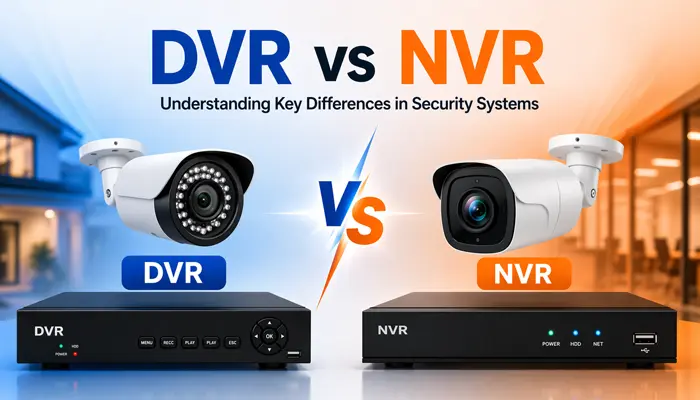
Choosing the right CCTV system is one of the most important decisions when setting up surveillance. The two most common options are DVR (Digital Video Recorder) and NVR (Network Video Recorder) systems.
This detailed guide will help you understand everything — from basic differences to expert-level insights — so you can make the right decision.
- What is a DVR?
- What is an NVR?
- Key Differences Between DVR and NVR
- Advantages & Disadvantages of DVR
- Advantages & Disadvantages of NVR
- DVR vs NVR — Which System is Better for Your Needs?
- Step-by-Step DVR and NVR Installation Process
- Common Mistakes Buyers Make
- Expert Buying Tips for DVR & NVR Systems
- DVR vs NVR in Hyderabad — What We Recommend
- FAQs About DVR vs NVR
- Conclusion
What is DVR?
A DVR (Digital Video Recorder) system works with analog CCTV cameras. These cameras send video signals through coaxial cables to the DVR, where the footage is recorded and stored.

How DVR Works
DVR systems rely on analog cameras, also known as CCTV cameras. Here is how the process works:
- → Cameras capture analog video signals
- → Signals travel via coaxial cables
- → DVR converts analog signals into digital format
- → Video is stored on a hard drive
Unlike newer systems, the processing happens inside the recorder — not the camera.
Components of DVR
- ✔ Analog CCTV Cameras
- ✔ Coaxial cables
- ✔ DVR unit
- ✔ Power supply
- ✔ Storage (HDD)
Key Features
- ✔ Uses analog cameras
- ✔ Requires coaxial cable wiring
- ✔ Lower installation cost
- ✔ Suitable for small setups
- ✔ Basic video quality
👉 Best for: Small homes, budget setups, shops, and properties without internet.
What is an NVR?
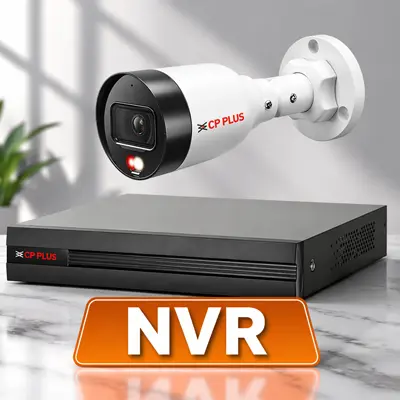
An NVR, or Network Video Recorder, is a modern surveillance system that works with IP (Internet Protocol) cameras. Instead of processing video at the recorder, the cameras themselves handle encoding.
That is a big deal.
It means better performance, higher quality, and more flexibility.
How NVR Works
Here is how an NVR system operates:
- → IP cameras capture and process video
- → Data is transmitted over a network (Ethernet or Wi-Fi)
- → NVR stores and manages the video
Because the cameras do the heavy lifting, the system is more efficient overall.
Components of NVR
- ✔ IP Cameras
- ✔ Ethernet cables (Cat6)
- ✔ PoE Switch
- ✔ NVR unit
- ✔ Storage (HDD)
Key Features
- ✔ Uses IP (Internet Protocol) cameras
- ✔ Works on Ethernet cables or WiFi
- ✔ High-definition video (HD/4K)
- ✔ Easier remote access
- ✔ Advanced features like AI detection
👉 Best for: Offices, apartments, warehouses, large businesses, and properties needing remote monitoring.
Key Differences Between DVR and NVR Security Systems
Understanding the difference between DVR and NVR security systems becomes easier when you compare them side by side.
| Feature | DVR | NVR |
|---|---|---|
| Camera Type | Analog Cameras | IP Cameras |
| Video Quality | Standard (720p/1080p) | HD to 4K |
| Wiring | Coaxial Cable | Ethernet (LAN) |
| Installation | Complex wiring | Easier & flexible |
| Cost | Lower | Higher |
| Scalability | Limited | Highly scalable |
Installation Differences
DVR systems require separate cables for power and video, which can get messy. NVR systems often use PoE, meaning one cable handles both power and data.
That is a game-changer for installation.
Video Quality
NVR systems clearly win here. They support HD and even 4K resolution, while DVR systems are typically limited to lower resolutions.
If clarity matters, NVR is the way to go.
Advantages & Disadvantages of DVR Explained
DVR systems are affordable, reliable, and ideal for basic surveillance needs. They work without internet and are easy to maintain. However, they offer lower video quality, require more wiring, and have limited advanced features compared to modern systems.
✅ Advantages of DVR
Cost-Effective Solution
DVR systems are generally more affordable compared to NVR systems, making them ideal for budget-conscious users.
Simple Technology
Uses traditional analog cameras, which are easy to install and widely available.
Reliable Performance
Stable connection through coaxial cables ensures consistent recording without network dependency.
No Internet Required
Works without internet, which is useful for basic offline surveillance.
❌ Disadvantages of DVR
Lower Video Quality
Compared to IP cameras, analog cameras offer lower resolution and clarity.
Complex Wiring
Each camera requires a separate cable connected to the DVR, making installation messy.
Limited Scalability
Expanding the system can be difficult once all DVR channels are occupied.
Less Smart Features
Limited support for AI features like motion detection, facial recognition, etc.
Advantages & Disadvantages of NVR Explained
NVR systems provide high-quality video, easy installation with PoE, and advanced features like remote access and smart analytics. They are ideal for modern surveillance needs and scalable setups. However, NVR systems are more expensive, depend on a stable network, and may require basic technical knowledge for setup.
✅ Advantages of NVR
High-Quality Video
Supports HD and 4K IP cameras for crystal-clear footage.
Easy Installation (PoE)
Power over Ethernet (PoE) allows both power and data through a single cable.
Flexible & Scalable
Easily add more cameras to the network without major rewiring.
Advanced Features
Supports smart analytics like motion tracking, alerts, remote access, and AI-based detection.
❌ Disadvantages of NVR
Higher Cost
Initial investment is higher due to IP cameras and networking equipment.
Network Dependency
Requires a stable network for optimal performance and remote access.
Technical Setup Required
Configuration may require basic networking knowledge.
Security Risks (if not configured properly)
IP-based systems can be vulnerable to hacking if not secured correctly.
Which is Better for Your Needs — DVR or NVR?
Choosing between DVR and NVR is not just about features — it is about your specific needs, property size, and budget.
Residential Use
For homes, DVR systems can be sufficient if you are on a budget. However, if you want remote access and high-quality footage, NVR is worth the investment.
Commercial Use
Businesses benefit more from NVR systems due to scalability, advanced analytics, and the ability to monitor remotely from any device.
| Feature | DVR | NVR |
|---|---|---|
| Camera Type | HD / Analog Cameras | IP (Network) Cameras |
| Video Quality | Standard to HD (lower than NVR) | HD, Full HD, 4K (higher clarity) |
| Installation | Requires separate cables for each camera | Single Ethernet cable (PoE supported) |
| Wiring Complexity | More complex and bulky wiring | Cleaner and simpler setup |
| Cost | More affordable | Higher initial investment |
| Scalability | Limited (fixed channels) | Highly scalable |
| Remote Access | Limited features | Easy remote access via apps |
| Smart Features | Basic (recording, playback) | Advanced (AI detection, alerts, analytics) |
| System Flexibility | Less flexible | Highly flexible and customizable |
| Maintenance | Easier, less technical | Requires network knowledge |
| Security | More secure (closed system) | Needs proper cybersecurity setup |
Step-by-Step DVR and NVR Installation Process
| Step | DVR Installation | NVR Installation |
|---|---|---|
| 1 | Plan camera locations (entry, exit, blind spots) | Plan camera layout and network coverage |
| 2 | Install analog cameras | Install IP cameras |
| 3 | Run coaxial cables from cameras to DVR | Connect cameras via Ethernet (PoE) |
| 4 | Provide power using adapters/SMPS | Power cameras through PoE switch/NVR |
| 5 | Connect DVR to monitor (HDMI/VGA) | Connect NVR to monitor and router |
💡 Quick Insight
DVR: More wiring, simpler setup
NVR: Cleaner setup, more advanced configuration
Common Mistakes Buyers Make
Choosing the right CCTV system is not just about picking between DVR and NVR — it is about avoiding costly mistakes that affect security, performance, and long-term investment.
Choosing on price alone
DVR systems are more affordable but may not meet modern security needs if high-quality footage or remote monitoring is required.
Ignoring camera resolution
Low-resolution cameras produce blurry recordings that are useless during incidents. Always match resolution to your surveillance needs.
Poor camera placement
Overlooking blind spots reduces overall surveillance effectiveness. Always get a professional site assessment before installation.
Underestimating storage
Without adequate hard drive capacity, important footage gets overwritten quickly. Plan storage based on camera count and retention days needed.
Weak network setup for NVR
Poor network configuration and weak passwords can expose NVR systems to hacking. Always secure the system properly after installation.
Not planning for expansion
Many users buy a fixed-channel DVR with no room to grow. If you plan to add cameras later, choose an NVR for easy scalability.
Expert Buying Tips for DVR & NVR Systems
Choosing the right CCTV system requires more than just comparing prices. Here are expert tips to help you invest in the best DVR or NVR system for your property.
1. Choose based on your internet availability
No internet or unstable connection? Go with DVR. Reliable broadband available? NVR gives you far better value with remote access and sharper footage.
2. Think about future camera count
If you plan to add more cameras in 1–2 years, buy an NVR with extra channels now. Upgrading a DVR system later means rewiring everything.
3. Match storage to your retention needs
Calculate how many days of footage you need to keep. A 4-camera 1080p system fills a 1TB drive in about 15 days on continuous recording.
4. Do not skip the site visit
Every property has different cable routes, blind spots, and power points. A professional site assessment ensures you buy exactly what you need — nothing more, nothing less.
5. Always buy from authorized dealers
Genuine cameras from authorized dealers come with proper warranty and after-sales support. Cheap cameras from unknown sources fail quickly in real conditions.
6. Plan for AMC from day one
Cameras run 24/7. Regular maintenance catches failing drives, dirty lenses, and loose connections before they cause a blind spot at the wrong moment.
DVR vs NVR in Hyderabad — What We Recommend
Based on thousands of installations across Hyderabad, here is what works best for different property types:
| Property Type | Recommended System | Reason |
|---|---|---|
| 2BHK / 3BHK Apartment | DVR with HD cameras | Budget-friendly, reliable for basic home coverage |
| Independent Villa | NVR with IP cameras | Multiple entry points, needs remote monitoring |
| Office / Commercial | NVR with IP cameras | High resolution needed for face and number plate clarity |
| Shop / Retail Store | DVR with HD cameras | Cost-effective, covers counter and entry areas well |
| Factory / Warehouse | NVR with IP cameras | Large areas, needs PTZ and remote access |
| Gated Community | NVR with IP cameras | High camera count, central monitoring required |
Power cuts are common in some areas of Hyderabad. For properties in outer areas like Shadnagar, Patancheru, or Shamshabad, always add a UPS or battery backup to keep cameras running during outages.
Smart Secures has installed DVR and NVR systems across Kukatpally, Miyapur, Gachibowli, Banjara Hills, Jubilee Hills, Kondapur, Secunderabad, and all surrounding areas since 2016.
FAQs About DVR vs NVR
Conclusion
Both DVR and NVR systems serve a purpose — the right choice depends entirely on your property, budget, and security goals. DVR is the practical choice for smaller properties on a tight budget where basic recording is enough. NVR is the smarter long-term investment for anyone who needs high-resolution footage, mobile access, and the ability to scale.
If you are still unsure which system fits your property in Hyderabad, our team can assess your site, explain your options clearly, and recommend the right setup — at zero cost.
📞 Call +91 9346 133 102 for a free site visit anywhere in Hyderabad. 💬 WhatsApp us for a same-day quote.
