
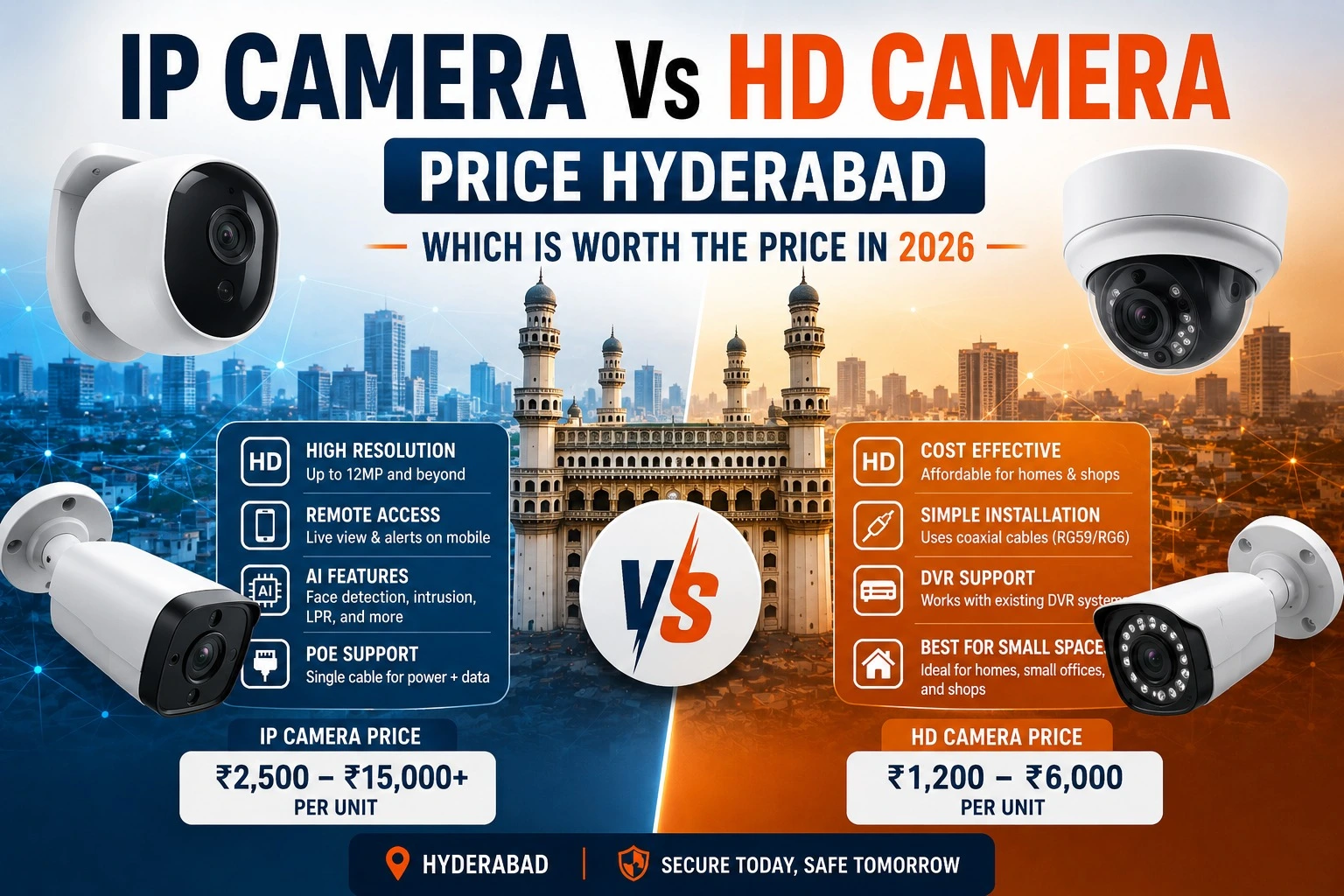
If you are planning to install CCTV in your home, apartment, office, or shop in Hyderabad, one of the most confusing decisions is choosing between IP cameras and HD cameras.
Both options are good, but they are designed for different needs and budgets. In this guide, we will break down everything in a simple way so you can choose the best camera type for your property in Hyderabad.
Choosing between IP and HD cameras is only the first step. A properly designed surveillance system ensures better coverage, clear recordings, and reliable performance. If You're planning a new security setup, our CCTV Camera Installation Services in Hyderabad can help you select the right cameras and install them professionally.
- What Is an HD CCTV Camera?
- What Is an IP CCTV Camera?
- What Is the Difference Between IP Camera and HD Camera?
- Head-to-Head Comparison
- Resolution Comparison — 2MP, 4MP, 5MP, 4K
- When to Choose IP and When HD Is Enough
- Best Option for Homes, Shops and Offices in Hyderabad
- Real Pricing in Hyderabad
- Hidden Costs Nobody Talks About
- Which System for Which Property Type
- Frequently Asked Questions
- Conclusion
HD CCTV Camera: Features, Price & Performance
HD CCTV cameras (high definition cameras) are traditional surveillance systems widely used in homes and small businesses. They are reliable, affordable, and easy to install — making them the most popular choice for basic security in Hyderabad.
Key Features of HD Cameras
- Works with DVR system
- Uses coaxial cables
- Video quality: 2MP to 5MP
- Affordable pricing
- Easy installation and maintenance
- Works without internet
Best For
- Apartments and 2BHK/3BHK homes
- Small shops and retail stores
- Budget security setups
- Properties without reliable internet
HD Camera Technologies Available in Hyderabad
AHD (Analog High Definition)
Most widely installed HD technology in Hyderabad. Compatible with most DVRs. Best choice for budget-friendly home and shop installations.
TVI (Transport Video Interface)
Used by Hikvision Turbo HD systems. Supports higher resolutions up to 8MP over coaxial cable. Good for upgrades to existing coaxial wiring.
CVI (Composite Video Interface)
Used by Dahua HDCVI systems. Similar to TVI in performance. Works well for long cable runs up to 500 metres without signal loss.
CVBS (Composite Video)
Older standard analog format being phased out. Very low resolution — not recommended for new installations in 2026.
What is an IP CCTV Camera?
IP cameras (Internet Protocol cameras) are fully digital. They capture, compress, and transmit video as data packets over a Cat5e or Cat6 Ethernet network — the same cable used for internet connections.
Instead of a DVR, IP cameras connect to an NVR (Network Video Recorder). Many support PoE (Power over Ethernet), meaning a single cable handles both video data and power supply.
Most IP cameras record footage through a Network Video Recorder (NVR), which offers better image quality, centralized storage, and remote access. If You're new to this technology, read our guide on What is an NVR? to understand how it works.
Key Features of IP Cameras
- Works with NVR system
- Uses LAN/Ethernet cables (Cat6)
- High resolution — 4MP to 4K
- Advanced remote access on mobile
- AI features like motion alerts and smart detection
- Supports cloud storage
Best For
- Offices in Gachibowli and Hitech City
- Villas in Jubilee Hills and Kokapet
- Large commercial spaces and warehouses
- Gated communities needing number plate recognition
IP Camera Types Available in Hyderabad
Dome IP Cameras
Fixed dome cameras — most common for indoor and outdoor use. Compact design, vandal-resistant, and widely used in homes, offices, and retail stores.
PTZ (Pan-Tilt-Zoom) Cameras
Can rotate horizontally, vertically, and zoom in on targets. Best for parking lots, large open areas, and properties needing active monitoring.
Fisheye / 360° Cameras
Single camera covers an entire room with no blind spots. Popular in retail store lobbies, reception areas, and open-plan offices.
AI LPR Cameras
Licence plate recognition cameras for gated communities and parking facilities. Automatically logs every vehicle entering and exiting.
What Is the Difference Between IP Camera and HD Camera?
The core difference is how they transmit video. HD cameras use coaxial cables and process video at the DVR. IP cameras use Ethernet cables and process video at the camera itself — which is why IP cameras deliver sharper footage and smarter features.
HD Camera — How It Works
Camera → Coaxial cable → DVR (processes video) → Hard disk storage. Simple, reliable, works without internet. Limited resolution ceiling.
IP Camera — How It Works
Camera (processes video) → Cat6 Ethernet cable → PoE Switch → NVR → Hard disk storage. Higher resolution, smarter features, remote access on mobile.
IP vs HD CCTV — Head-to-Head Comparison
Here is a clear comparison between IP and HD CCTV systems:
| Feature | HD Camera | IP Camera |
|---|---|---|
| Video Quality | Good (2MP–5MP) | Excellent (4MP–4K) |
| Cable Type | Coaxial cable | Cat6 LAN cable |
| Recorder | DVR | NVR |
| Internet Required | No | No (only for remote viewing) |
| Mobile Viewing | Basic | Advanced + AI alerts |
| Installation | Easy | Moderate |
| Storage Usage | Low | Higher |
| AI Features | None | Yes — motion, face, LPR |
| Pricing | Budget-friendly | Higher upfront cost |
| Best For | Homes, shops, basic setups | Offices, villas, commercial |
In simple terms — HD = Affordable + Reliable. IP = High quality + Smart features.
Resolution Comparison — 2MP, 4MP, 5MP, 4K
Resolution determines how clear the footage is and whether you can identify faces or number plates from a distance.
2MP (1080p)
- Basic clarity — sufficient for small rooms and corridors
- Cheapest option — most budget HD systems use 2MP
- Face identification possible within 5–6 metres
4MP (2K)
- Clearer image — twice the detail of 2MP
- Best balance of price and performance in Hyderabad
- Popular for homes, apartments, and small offices
5MP
- High clarity — good for shops and offices needing cash counter detail
- Can identify faces at 8–10 metres clearly
- Popular for commercial properties
4K (8MP)
- Ultra HD clarity — best for large properties and sensitive areas
- Number plate readable at 15–20 metres
- Requires more storage — plan for 4TB+ hard disk
👉 Higher resolution increases IP camera vs HD camera price difference significantly. For most Hyderabad homes, 4MP strikes the best balance.
When to Choose IP Cameras and When HD Is Enough
Choose IP Cameras When You Need
- High-definition video quality (4MP and above)
- Smart mobile alerts and AI detection
- Remote monitoring from anywhere on mobile
- Large property coverage with fewer cameras
- Number plate recognition at gates
- Cloud backup option
HD Cameras Are Enough When You Have
- A tight budget — HD costs 30–40% less than IP
- A small property — apartment, shop, 2BHK home
- No need for AI features or smart alerts
- Unreliable internet — HD works fully offline
- Existing coaxial wiring you want to reuse
Best Option for Homes, Shops and Offices in Hyderabad
Homes and Apartments
- HD cameras — 4 camera setup
- DVR system with 1TB storage
- Basic mobile viewing via gCMOB app
Shops and Retail Stores
- HD or 5MP IP cameras
- Focus on cash counter and entry/exit
- DVR or NVR depending on budget
Offices
- IP cameras — 4MP or higher
- NVR system with remote access
- AI motion alerts for after-hours monitoring
Villas and Premium Homes
- IP cameras — 4K resolution
- PTZ camera for compound/garden coverage
- Smart alerts and night vision
IP Camera vs HD Camera Price in Hyderabad — Real Numbers
A complete HD CCTV system in Hyderabad starts at ₹12,000 for 4 cameras installed. A complete IP camera system starts at ₹20,000 for 4 cameras installed. The difference narrows significantly when you factor in long-term value and features.
HD Camera System Pricing in Hyderabad (2026)
Based on actual installations — includes cameras, DVR, 1TB HDD, cabling, connectors, and labour:
| System Size | Resolution | Complete Installed Cost |
|---|---|---|
| 4 Camera Package | 1080p / 2MP | ₹12,000 – ₹18,000 |
| 8 Camera Package | 2MP – 5MP | ₹22,000 – ₹38,000 |
| 16 Camera Package | 5MP – 8MP | ₹45,000 – ₹75,000 |
Popular HD camera brands in Hyderabad: CP Plus, Hikvision Turbo HD, Dahua HDCVI, Honeywell, TVT.
HD camera packages are a popular choice for homes in Dilsukhnagar, Uppal, Miyapur, and LB Nagar — where reliable coverage at an accessible price point is the priority.
IP Camera System Pricing in Hyderabad (2026)
IP camera systems cost more upfront but deliver better price-per-feature at mid to high range. Costs include cameras, NVR, PoE switch, Cat6 cabling, 2TB–4TB HDD, and professional installation:
| System Size | Resolution | Complete Installed Cost |
|---|---|---|
| 4 Camera Package | 2MP – 4MP | ₹20,000 – ₹32,000 |
| 8 Camera Package | 4MP – 5MP | ₹45,000 – ₹75,000 |
| 16 Camera Package | 4K / 8MP with AI | ₹1,00,000 – ₹2,50,000+ |
Popular IP camera brands in Hyderabad: Hikvision AcuSense, Dahua WizSense, CP Plus Ezykam Pro, Uniview, Bosch, Axis.
The camera price is only one part of your total investment. Installation charges can vary depending on the number of cameras, cable length, recorder type, storage capacity, and site requirements. If you want a detailed cost breakdown, read our guide on CCTV installation cost in Hyderabad. It explains the factors that affect pricing and helps you estimate the total cost before installation.
Hidden Costs Nobody Talks About
Key Insight: The camera unit price is only 40–60% of your total cost. Cabling, switching, storage, and installation make up the rest — and these are often underquoted by inexperienced vendors.
Additional Costs — IP Camera System
| Component | What It Does | Est. Cost (Hyderabad) |
|---|---|---|
| Cat6 Cabling | Carries video + power to each camera | ₹12–₹18 per metre + labour |
| PoE Switch | Powers cameras over the network cable | ₹3,000 – ₹12,000 (8–24 port) |
| NVR | Records and stores footage | ₹8,000 – ₹35,000 |
| HDD Storage | 4K footage needs more space | 4TB HDD ≈ ₹7,000 – ₹9,000 |
| Cloud Subscription | Optional remote backup | ₹500 – ₹2,000/month per camera |
| Wall/Ceiling Mounting | Conduit, junction boxes, brackets | ₹300 – ₹800 per camera point |
Additional Costs — HD Camera System
| Component | What It Does | Est. Cost (Hyderabad) |
|---|---|---|
| Coaxial Cable (RG59) | Carries video signal | ₹8–₹12 per metre |
| Power Adapters / Box | Each camera needs separate power | ₹150–₹800 per camera |
| DVR | Records and stores footage | ₹4,000 – ₹18,000 |
| Balun Adapters | If reusing Cat5e cable for HD signal | ₹200–₹500 per pair |
| Signal Booster | For cable runs beyond 300 metres | ₹800 – ₹2,500 |
Our CCTV Camera installation services in Hyderabad include a transparent quote covering every component — no surprise additions after the work begins.
Which System for Which Property Type in Hyderabad
From our experience installing CCTV systems across Hyderabad, here is the honest field recommendation:
| Property Type | Recommended System | Reason |
|---|---|---|
| Independent House (2–3 BHK) | HD 4-cam + DVR | Budget-efficient, covers all entry points |
| Villa / Duplex | HD or IP 8-cam | Depends on budget — IP preferred for compound coverage |
| Apartment Flat | IP 2–4 cam + NVR | Better remote access when away from home |
| Gated Community / Apartment Block | IP 16–32 cam + NVR | Number plate recognition, perimeter analytics |
| Small Shop / Restaurant | HD 4-cam + DVR | Low cost, quick installation, easy support |
| IT Office / Co-working Space | IP 8–16 cam + NVR | Access logs, AI alerts, remote monitoring |
| Hospital / Clinic | IP cameras + NVR | Evidence-grade footage, compliance-ready |
| School / College | IP PTZ + fixed cams | Wide coverage, real-time alert integration |
| Warehouse / Factory | IP bullet + PTZ | Long-range coverage, night vision, perimeter alerts |
Frequently Asked Questions
Conclusion — IP Camera or HD Camera for Hyderabad?
The honest answer is — it depends on your budget, property size, and what you need from your security system.
Choose HD Cameras If
- Budget is the priority
- Property is a flat, small house, or shop
- Basic monitoring is enough
- Internet is unreliable at your location
Choose IP Cameras If
- You need high-resolution footage
- Remote mobile access matters
- Property is a villa, office, or commercial space
- You want AI features and smart alerts
Both systems are widely used across Hyderabad. Smart Secures installs both HD and IP CCTV systems with transparent pricing, genuine branded cameras, and a free site visit before quoting.
📞 Call +91 9346 133 102 for a free site visit anywhere in Hyderabad. 💬 WhatsApp us for a same-day quote.
