
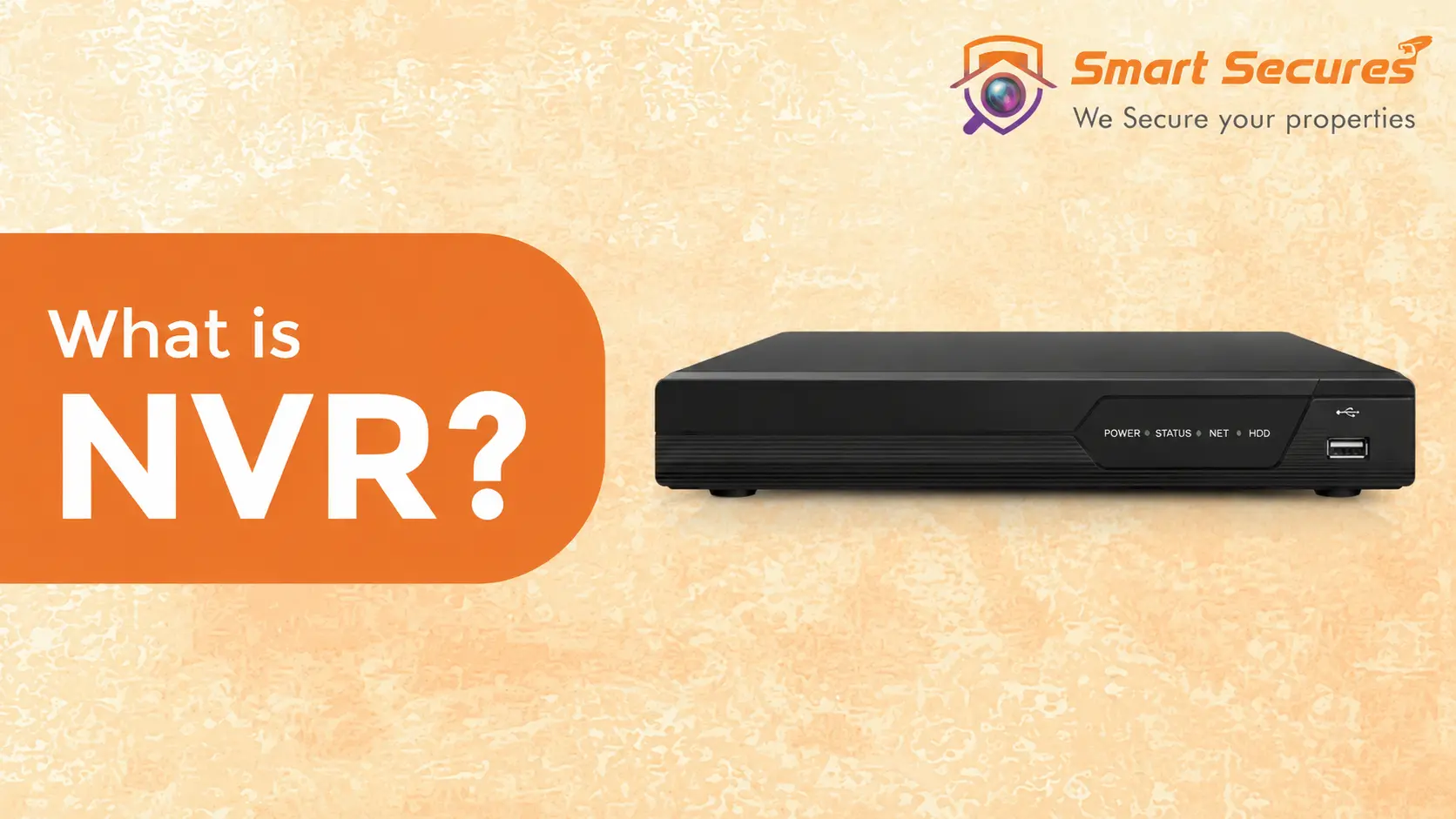
If you are setting up a CCTV system in Hyderabad, one of the first decisions you will face is choosing between an NVR and a DVR. Understanding what an NVR is — and how it differs from older systems — helps you make the right choice for your property and budget.
This guide covers everything you need to know about NVR systems, from how they work to real pricing in Hyderabad, so you can make an informed decision before buying.
- What is an NVR? Simple Definition
- How Does an NVR Work?
- Key Benefits of NVR Systems
- NVR vs DVR — What is the Difference?
- Types of NVR Systems
- Who Should Use an NVR?
- NVR Price in Hyderabad
- Best NVR Brands Available in Hyderabad
- How to Choose the Right NVR
- Installation and Maintenance
- Why Choose Smart Secures in Hyderabad?
- Frequently Asked Questions
- Conclusion
What is an NVR? Simple Definition
NVR stands for Network Video Recorder. It is a device that receives video from IP (Internet Protocol) cameras over a network connection and stores that footage on an internal hard drive for live viewing, playback, and remote monitoring.
Think of it like this — an NVR is the brain of a modern IP camera system. Cameras capture and encode video, then send it to the NVR over a standard Ethernet or Wi-Fi network. The NVR stores everything and gives you access from any device, anywhere.
What makes an NVR different from older systems? Traditional DVR systems used coaxial cables and analog cameras, processing video at the recorder. An NVR uses standard network cables — the same used for internet — and IP cameras that process video themselves before sending it. This delivers sharper footage, smarter features, and easier installation.
If youre planning to install an NVR-based surveillance system, our CCTV Camera Installation Services in Hyderabad ensure proper camera placement, network configuration, and reliable recording performance.
How Does an NVR Work?
An NVR receives video from IP cameras through your network and securely stores footage for live viewing, playback, and remote monitoring.
IP Cameras
Capture and encode video footage, then transmit it as data packets over the network.
Network / LAN
Transfers encoded video data from cameras to the NVR via Ethernet cable or Wi-Fi.
NVR Device
Central recording unit that receives, manages, and stores all camera footage.
Hard Drive (HDD)
Stores recorded surveillance footage — typically 1TB to 8TB depending on camera count and retention period.
Monitor or Phone
Lets you view live camera feeds and recorded footage from any device, anywhere.
Modern homes benefit from residential CCTV installation using NVR systems that provide remote viewing, clear video quality, and secure recordings.
Step-by-Step Process
IP cameras capture and encode video in real time
Encoded video travels over your LAN or Wi-Fi network
The NVR receives and manages the incoming video stream
Footage is saved automatically to the internal hard drive
You view live or recorded footage from your phone, tablet, or monitor — anywhere
Older recordings are overwritten automatically as the hard drive fills up
Key Benefits of NVR Systems
HD and 4K Video Quality
IP cameras capture sharp, detailed footage at 4MP, 5MP, or 4K resolution. Clearly identify faces, licence plates, and fine details — something analog DVR systems cannot match.
Simple Installation
Wireless IP cameras need no cables through walls. Even wired IP cameras use standard Cat6 Ethernet — far simpler than running coaxial cable for analog systems.
Remote Access Anywhere
Monitor your property from anywhere in the world. A mobile app gives you live and recorded video from your phone within seconds — no physical presence required.
Cloud Backup
Store footage on both the NVR hard drive and cloud storage. If the device is damaged or stolen, your recordings remain safe and accessible online.
Scalable by Design
Start with 4 cameras and expand to 16, 32, or 64 as your needs grow. NVRs are built to scale without replacing the core infrastructure.
Smart AI Features
Motion alerts, face recognition, person detection, licence plate reading, and heat mapping — modern NVR systems are genuinely intelligent security tools that reduce false alarms significantly.
NVR systems are widely used for commercial CCTV installation because they support high-resolution IP cameras and centralized monitoring for offices, retail stores, and business premises.
NVR vs DVR — What is the Difference?
DVR (Digital Video Recorder) systems are older technology using analog cameras and coaxial cables. Here is how the two compare:
| Feature | DVR | NVR ✓ Recommended |
|---|---|---|
| Camera Type | Analog HD cameras | IP cameras |
| Video Quality | Standard to HD (lower ceiling) | HD to 4K (higher clarity) |
| Cable Type | Coaxial cable | Cat6 Ethernet cable |
| Installation | Complex coaxial cable runs | Easier — Ethernet or wireless |
| Remote Access | Limited or unavailable | Full mobile app support |
| Scalability | Difficult to expand | Add cameras easily |
| AI Features | None | Motion detection, face ID, heat maps |
| Internet Required | No | No (only for remote viewing) |
| Upfront Cost | Lower | Moderate — better long-term ROI |
The verdict: For almost every new installation in 2026, NVRs deliver superior quality, easier operation, and smarter features — making them the clear choice for homes and businesses alike.
Types of NVR Systems
Standalone NVRs
A dedicated physical unit with its own hard drive and power supply. The most common type — well-suited to most homes and small businesses in Hyderabad. Reliable, self-contained, and easy to manage.
Best for: homes, shops, and small offices.
Cloud-Based NVRs
Footage is stored online — no physical recorder needed on-site. Access anytime from anywhere, with secure cloud backup. Requires stable internet and a monthly subscription fee per camera.
Best for: people prioritising simplicity and off-site backup.
Wireless NVRs
Cameras transmit video wirelessly over Wi-Fi — no cable runs through walls required. The NVR itself still needs power and internet. Dependent on strong, consistent Wi-Fi signal throughout the property.
Best for: rental properties and locations where running cables is impractical.
Hybrid NVRs
Compatible with both older analog cameras and new IP cameras — ideal for upgrading an existing DVR system without replacing every camera at once. A cost-effective transition path.
Best for: organisations transitioning from older DVR setups gradually.
Who Should Use an NVR?
- Homeowners: 24/7 coverage of entrances, driveways, and rooms. A 4-camera NVR setup typically costs ₹20,000–₹30,000 installed in Hyderabad.
- Small Businesses: Monitor staff, protect stock, and have evidence when incidents occur. 8–16 cameras at ₹40,000–₹80,000 covers most SMEs.
- Large Enterprises: NVRs support 32–64+ cameras with advanced analytics across large facilities and multiple buildings.
- Schools and colleges:
Schools and colleges use education CCTV installation with NVR systems to monitor classrooms, corridors, playgrounds, and campus entrances.
- Warehouses and Factories:
Large factories and warehouses often rely on industrial CCTV installation with NVR technology to manage multiple cameras and long-term video storage.
- Hospitals and clinics:
Hospitals and clinics require reliable healthcare CCTV installation where NVR systems securely record footage from critical areas while supporting centralized monitoring.
NVR Price in Hyderabad — What to Expect in 2026
NVR system prices in Hyderabad depend on the number of camera channels, storage capacity, and whether cameras are included. Here are realistic installed prices:
| System Size | NVR Channels | Resolution | Complete Installed Cost |
|---|---|---|---|
| Small Home / Flat | 4 Channel NVR | 2MP – 4MP | ₹20,000 – ₹32,000 |
| Independent House / Villa | 8 Channel NVR | 4MP – 5MP | ₹35,000 – ₹60,000 |
| Office / Shop | 8 – 16 Channel NVR | 4MP – 5MP | ₹45,000 – ₹80,000 |
| Commercial / Gated Community | 16 – 32 Channel NVR | 4K / 8MP with AI | ₹1,00,000 – ₹2,50,000+ |
All prices include cameras, NVR unit, hard disk, Cat6 cabling, PoE switch, and professional installation. Smart Secures provides a detailed itemised quote after a free site visit — no hidden charges.
Best NVR Brands Available in Hyderabad
Hikvision
World's most widely used surveillance brand. Hikvision NVRs offer excellent build quality, AcuSense AI features, and reliable long-term performance. Available in 4 to 64 channel configurations.
Dahua
Strong competitor to Hikvision. Dahua WizSense NVRs include AI features like perimeter protection and face recognition at competitive prices. Very popular for commercial installations.
CP Plus
India's most popular CCTV brand. CP Plus NVRs are affordable, reliable, and widely supported across Hyderabad. Excellent choice for homes and small businesses on a budget.
Uniview (UNV)
Growing rapidly in the Indian market. Uniview NVRs offer strong performance at mid-range prices. Good option for offices and commercial properties needing quality without premium pricing.
How to Choose the Right NVR
Step 1 — Count your cameras
- 4 channels — small home or flat
- 8 channels — larger home or small business
- 16 channels — medium office or commercial
- 32+ channels — large facility or gated community
Step 2 — Choose storage capacity
- 1TB — 1 to 2 weeks (4 cameras at 1080p)
- 2TB — 2 to 4 weeks (4 cameras at 1080p)
- 4TB — 4 to 8 weeks (4 cameras at 1080p)
- 8TB — 2 to 3 months (4 cameras at 1080p)
Step 3 — Wired or wireless?
- Wired: Reliable, permanent, no signal issues — recommended for permanent installations
- Wireless: Flexible and quick to install — requires strong consistent Wi-Fi coverage throughout
Step 4 — Internet speed check
Allow at least 5 Mbps per camera for 1080p remote viewing. For 4K cameras, allow 15–25 Mbps per camera. A stable router and strong Wi-Fi signal are essential for wireless systems.
Step 5 — Smart features needed
Consider whether you need motion alerts, face recognition, person vs vehicle detection, cloud backup, and mobile app access before selecting an NVR model.
Step 6 — Set your budget
Basic home system: ₹20,000 – ₹32,000. Professional SME system: ₹40,000 – ₹80,000. Enterprise system: ₹1,00,000 and above. Always get a site visit and itemised quote before committing.
Installation and Maintenance
Wired Installation
Run Cat6 Ethernet cables from cameras to the NVR. Plan cable routes carefully, set up PoE switches for power-over-ethernet, and configure the network. Professional installation ensures optimal camera angles, clean cable management, and correct NVR configuration.
Wireless Installation
Position cameras within strong Wi-Fi range. Place the NVR centrally near your router and verify internet signal strength at each camera position before finalising placement. Dead spots cause recording gaps.
Routine Maintenance
- Check hard drive health regularly in NVR settings
- Apply firmware and software updates promptly
- Monitor storage usage to avoid unexpected overwrites
- Test remote mobile access periodically
- Ensure adequate ventilation around the NVR unit
- Clean camera lenses quarterly for clear footage
Maintenance Tips for NVR Systems
Regular maintenance helps keep your NVR, hard drives, and IP cameras performing reliably. Explore our CCTV AMC Services in Hyderabad for preventive maintenance and system health checks.
Why Choose Smart Secures for NVR Installation in Hyderabad?
Smart Secures is a trusted CCTV and NVR installation company serving Hyderabad since 2016. Here is what sets us apart:
Deep NVR Expertise
Our team understands every system we install. We guide you to the right NVR solution based on your property size, camera count, and budget — not a standard package.
Professional Installation
Cameras placed in optimal positions, cables routed neatly, and every component configured for maximum performance from day one. No blind spots.
Genuine Branded Products
We source from authorised distributors only. Every camera and NVR comes with full manufacturer warranty — no grey market or low-quality hardware.
Locally Based in Hyderabad
We are right here in Kukatpally, Hyderabad. Fast response times, same-day site visits, and no long waits when you need support.
Transparent Pricing
No hidden charges. You receive a full itemised quotation covering cameras, NVR, storage, cabling, and labour before any work begins.
Post-Installation Support
We stay with you after installation — troubleshooting, firmware updates, AMC maintenance contracts, and system upgrades whenever needed.
Ready to Install an NVR System in Hyderabad?
Smart Secures provides a free site visit and written quote for NVR installations across all areas of Hyderabad — including Kukatpally, Miyapur, Gachibowli, Banjara Hills, Jubilee Hills, Kondapur, Secunderabad, and more.
📞 Call +91 9346 133 102 or WhatsApp us for a same-day response.
Frequently Asked Questions
Conclusion
An NVR is the right foundation for any modern CCTV system. It delivers higher resolution footage than older DVR systems, supports remote monitoring from any device, scales easily as your security needs grow, and integrates AI features that older systems cannot match.
For most homes and businesses in Hyderabad in 2026, an NVR with IP cameras is the recommended choice — whether you are securing a 2BHK flat in Kukatpally, an office in Gachibowli, or a warehouse in Patancheru.
The right NVR depends on your camera count, storage needs, and budget. A free site visit from Smart Secures takes the guesswork out — our team assesses your property, recommends the correct system, and provides a written quote with no obligation.
📞 Call +91 9346 133 102 or WhatsApp us for a free site visit anywhere in Hyderabad.
Key Points to Remember
- NVR stands for Network Video Recorder — it records from IP cameras over a network
- NVRs deliver better video quality, easier installation, and smarter features than DVRs
- They work for homes, shops, offices, and large commercial properties
- NVR prices in Hyderabad start from Rs.20,000 for a complete 4-camera installed system
- Choose based on camera count, storage requirement, and budget
- Professional installation ensures correct placement, configuration, and no blind spots
