
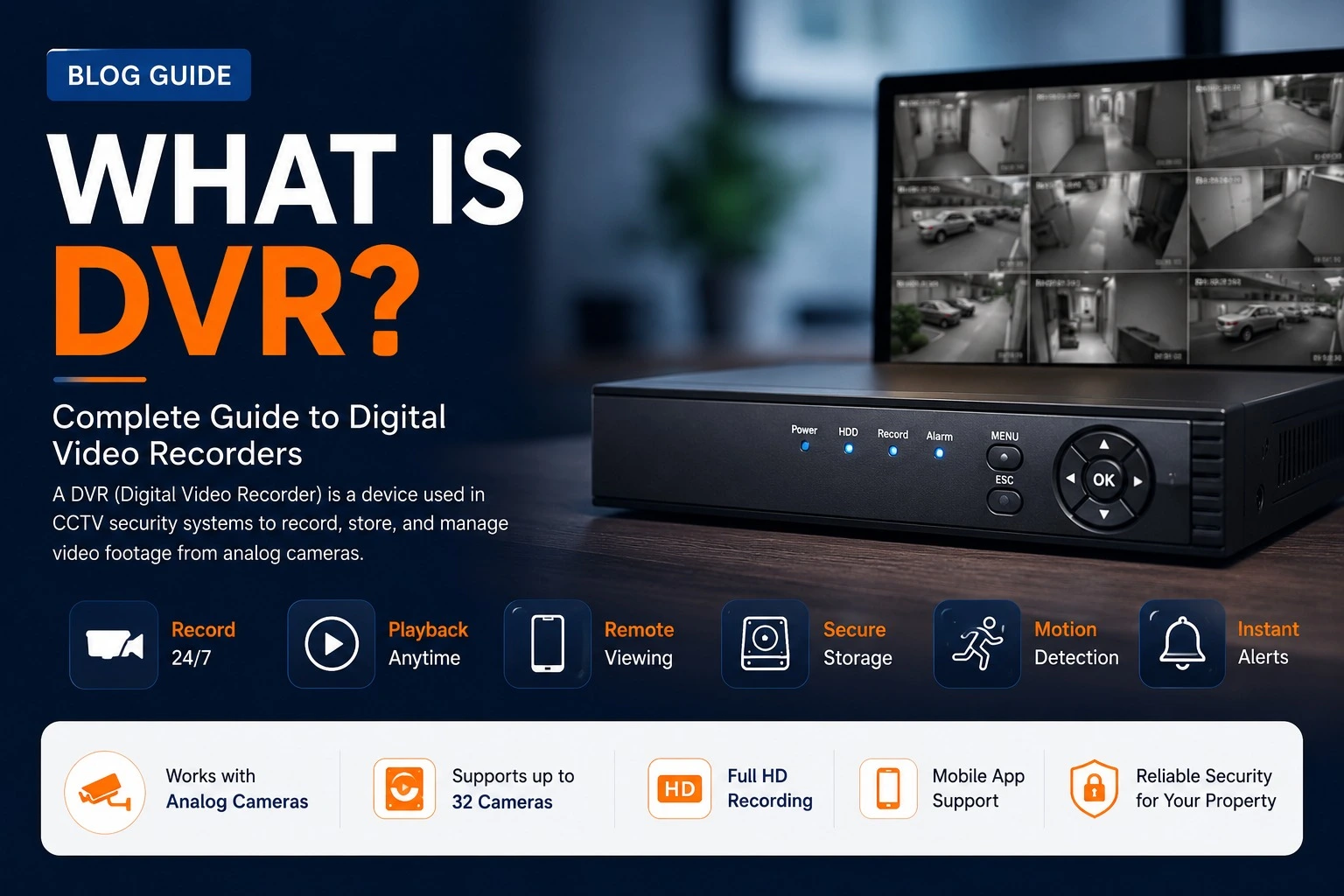
A DVR, or Digital Video Recorder, is a device used to record and store video footage from compatible CCTV cameras. In a traditional analogue CCTV system, cameras send video signals to the DVR, which processes and stores the footage on a surveillance hard drive.
The DVR acts as the central recording unit of the CCTV system. It allows users to view live camera feeds, review recorded footage and, when configured with internet access, access the system remotely.
This guide explains what a DVR is, how it works, its main features, storage requirements, advantages and limitations.
DVR Full Form
DVR stands for Digital Video Recorder.
In CCTV systems, a DVR is primarily used to receive video from compatible cameras, process the footage and store it digitally for later viewing.
Modern DVR systems can also provide features such as scheduled recording, motion-based recording, video playback and remote viewing.
How Does a DVR Work?
A typical DVR-based CCTV system works through the following process:
- CCTV cameras capture video.
- The video signal is sent to the DVR through compatible cabling.
- The DVR processes and records the video footage.
- The footage is stored on a surveillance hard drive.
- Users can view live or recorded footage through a connected monitor or compatible remote viewing application.
The exact setup can vary depending on the camera technology and DVR model.
Main Components of a DVR CCTV System
A typical DVR-based CCTV system may include:
- DVR recorder
- Compatible CCTV cameras
- Surveillance hard drive
- Suitable camera cabling
- Power supply equipment
- Connectors and accessories
- Monitor or display for local viewing
All components should be selected based on compatibility with the CCTV system.
Features of Modern DVRs
Features vary by model, but modern DVRs may include:
- High-definition recording
- Video compression
- Continuous recording
- Scheduled recording
- Motion-based recording
- Video playback
- USB backup
- HDMI or other display outputs
- Mobile viewing support
- Password protection
- Multiple user access
Some advanced models may also support additional detection and analytics features depending on the manufacturer and connected cameras.
Advantages of DVR Systems
Cost-Effective
DVR-based systems can be a practical option for compatible CCTV installations and existing analogue camera setups.
Local Recording
The system can record footage locally to its installed storage drive without requiring continuous internet access.
Easy Playback
Users can search and review recorded footage directly through the DVR interface.
Remote Viewing
When properly configured, many DVR systems allow authorised users to view cameras remotely.
Limitations of DVR Systems
DVR systems also have some limitations depending on the technology and equipment used.
- They are generally designed for specific compatible camera systems.
- Installation may require separate connections depending on the camera setup.
- Expansion options can be limited by the available DVR channels.
- Some advanced network-based features may be more common in IP camera systems.
DVR vs NVR: What Is the Difference?
DVR and NVR are both recording systems, but they are commonly used with different types of CCTV cameras.
| DVR | NVR |
|---|---|
| Commonly used with compatible analogue CCTV cameras | Commonly used with IP cameras |
| Processes video at the recorder | Typically receives video through a network |
| Uses compatible CCTV cabling | Commonly uses network connections |
| Often suitable for existing analogue systems | Commonly used for network-based CCTV systems |
For a more detailed comparison, read our complete DVR vs NVR guide.
How Much Storage Does a DVR Need?
The amount of storage required depends on how the CCTV system is configured.
Important factors include:
- Number of cameras
- Camera resolution
- Recording hours per day
- Video compression settings
- Continuous or motion-based recording
- Required footage retention period
Instead of choosing storage based only on the number of cameras, calculate the expected recording requirements for your specific system.
Typical Storage Planning Examples
| System Size | Storage Consideration |
|---|---|
| Small CCTV System | Lower storage requirements depending on resolution and recording schedule |
| Medium CCTV System | Additional storage may be required for more cameras and longer retention |
| Large CCTV System | Storage requirements can increase significantly depending on camera count and recording settings |
How to Choose the Right DVR
Before choosing a DVR, check the following:
- Number of supported camera channels
- Compatibility with your CCTV cameras
- Supported recording resolution
- Storage capacity and supported hard drives
- Video compression technology
- Remote viewing options
- Available recording features
- Warranty and manufacturer support
If you are building a completely new CCTV system, it can also be useful to compare the DVR approach with an IP camera and NVR-based system.
Where Are DVR Systems Used?
DVR-based CCTV systems can be used in many types of properties, including:
- Homes
- Villas
- Apartments
- Offices
- Shops
- Warehouses
- Factories
- Schools
- Commercial properties
The suitability of a DVR system depends on the cameras, property requirements and the type of surveillance system being installed.
Frequently Asked Questions
Final Thoughts
A DVR, or Digital Video Recorder, is an important part of many CCTV systems. It processes and stores video footage, allowing users to review recordings and monitor connected cameras.
When choosing a DVR, consider camera compatibility, the number of channels, recording quality, storage requirements and remote viewing features.
If you are comparing recording technologies, read our DVR vs NVR comparison guide to understand which type of system may better suit your requirements.
For complete CCTV planning and installation guidance, visit our CCTV Camera Installation Guide.
