
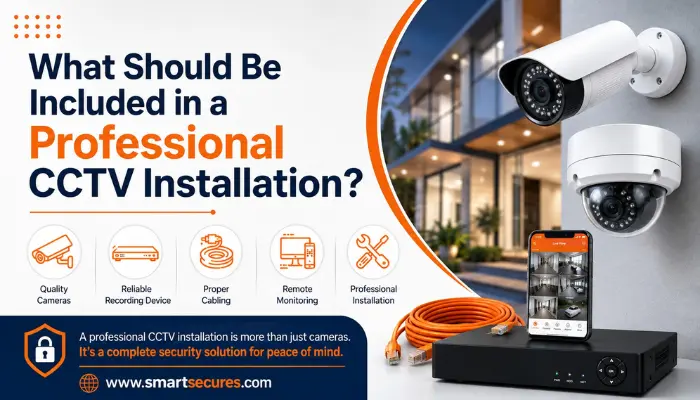
A professional CCTV installation includes a pre-installation site survey, cameras matched to actual risk areas, correct mounting height and angle, concealed weatherproof cabling, a properly sized recorder and storage, power backup, fully tested remote mobile viewing, secured passwords and firmware, and a written warranty with an AMC plan. Skipping any of these turns a "camera on the wall" into a weak spot rather than protection.
Most people judge a CCTV installation by one thing: whether the cameras turn on. But that is a low bar. A camera mounted at the wrong height, cabled sloppily, or left on a two-day-old default password is not "installed" — it is just plugged in.
A genuinely professional CCTV installation is a process, not a product drop-off. If you are comparing quotes or getting ready to book a CCTV camera installation for your home, office, or factory, here is everything that should be part of the job — and what to watch out for if it is not.
- 1. A Proper Site Survey Before Any Camera Goes Up
- 2. Cameras Matched to the Actual Risk, Not a Generic Package
- 3. Correct Height, Angle, and Mounting — Not Just "Somewhere on the Wall"
- 4. Clean, Concealed, and Weatherproofed Cabling
- 5. The Right Recorder and Storage Capacity for Your Footage Needs
- 6. Power Backup Planning
- 7. Full Remote Viewing Setup — Done For You, Not Left to You
- 8. Security Basics: Passwords, Firmware, and Network Settings
- 9. Testing Every Camera and Every Recording Channel Before Sign-Off
- 10. Written Documentation and a Real Warranty
- 11. A Plan for Ongoing Maintenance (AMC)
- The Quick Checklist
- FAQs
- Final Word
1. A Proper Site Survey Before Any Camera Goes Up
Before anyone touches a drill, a professional installer should walk your property and map out:
- Entry and exit points (gates, doors, staircases, lift lobbies)
- Blind spots created by walls, pillars, trees, or parked vehicles
- Lighting conditions at different times of day
- Cable routing paths and distance from the camera to the recorder
- Power source availability near each camera point
Skipping this step is the single biggest reason installations end up with overlapping coverage in one corner and a completely blind spot in another. If a company quotes you a price over the phone without asking about your layout, that is a warning sign. A genuine site visit is also how you get an accurate number of cameras needed — you can get a rough estimate first with our CCTV installation cost calculator.
2. Cameras Matched to the Actual Risk, Not a Generic Package
"4 cameras for ₹15,000" sounds simple, but a professional setup should recommend camera types based on what each spot actually needs — not a one-size-fits-all bundle. For example:
Entry gates and cash counters — higher resolution for face and vehicle number plate clarity
Open compounds, warehouses, or parking areas — wide-angle or PTZ cameras with weatherproof (IP66/67) housing
Low-light areas — cameras with strong night vision or IR range, not just "night vision" printed on the box
Indoor common areas — dome cameras, which are harder to tamper with and less obtrusive
If you are unsure how resolution affects clarity, our CCTV camera resolution guide (2MP vs 5MP vs 8MP) breaks this down further.
This is exactly the kind of zone-by-zone planning our team does on-site — whether that is commercial CCTV installation for a shop or office, or a residential CCTV setup for a home or apartment.
If you would rather start from a ready-made bundle instead of building camera-by-camera, compare our HD camera packages and IP camera packages.
3. Correct Height, Angle, and Mounting — Not Just "Somewhere on the Wall"
Camera placement determines whether footage is actually usable later. A professional installation follows basic placement standards:
- Entry-point cameras mounted at face height (not too high, or you only capture the top of peoples heads)
- Angled to avoid direct sunlight or headlight glare
- No obstruction from signage, plants, or building structures
- Secure mounting hardware rated for outdoor exposure where relevant
We have covered this in more depth in our guide on how to position CCTV cameras to avoid blind spots.
4. Clean, Concealed, and Weatherproofed Cabling
Loose wires hanging along a wall are not just ugly — they are a common failure point. Rain seepage into an open joint or a rodent chewing through an exposed cable is one of the most frequent reasons systems go down. Professional cabling work should include:
- Cables run through conduits or concealed routing wherever possible
- Weatherproof junctions for any outdoor cable joints
- Proper cable length planning to avoid signal loss over long runs
- Labeled cable runs, so any future technician (from any company) can service the system without guesswork
5. The Right Recorder and Storage Capacity for Your Footage Needs
Your DVR or NVR is the brain of the system, and this is where corners get cut most often. A professional installer should size the recorder and hard disk based on:
- Number of channels needed now, plus a few spare for future expansion
- Recording resolution and frame rate
- How many days of footage you legally or practically need to retain
- Continuous recording vs. motion-triggered recording
Getting this wrong means you either run out of storage in a week or pay for capacity you will never use. If you are not clear on the difference between the two recorder types, see our guide on DVR vs NVR: key differences and which is better.
We install and configure recorders from top STQC-certified brands like CP-Plus and Prama.
6. Power Backup Planning
Hyderabad sees its share of power fluctuations, and a system that stops recording during an outage defeats the purpose of having it. A professional installation should account for:
- A UPS or power backup unit sized for your camera count and recorder
- Surge protection to prevent damage during voltage spikes
- Backup runtime long enough to cover typical outage durations in your area
7. Full Remote Viewing Setup — Done For You, Not Left to You
Being able to check your cameras from your phone is one of the main reasons people install CCTV today. This should be fully configured before the technician leaves, including:
- Mobile app installed and linked to your system (not just "here is the app, figure it out")
- Remote access tested on your actual phone, not just the office demo device
- Login credentials changed from factory defaults
- A quick walkthrough so you know how to check live feeds and pull up recordings
8. Security Basics: Passwords, Firmware, and Network Settings
This is the part that is easiest to skip and most important to get right. IP cameras and NVRs left on factory-default passwords are a genuine privacy risk — there have been well-documented cases of unsecured cameras being accessed by outsiders. A professional installer should:
- Set strong, unique passwords on the camera system and recorder
- Update firmware to the latest stable version at the time of installation
- Configure network settings correctly if the system is connected to Wi-Fi or a shared network
9. Testing Every Camera and Every Recording Channel Before Sign-Off
Before the job is marked complete, each camera should be tested for:
- Live feed clarity, day and night
- Motion detection triggering correctly (if enabled)
- Recording actually saving to the hard disk, not just displaying live
- Playback — pulling up footage from an hour ago, not just watching live
A system that "looks fine" on the live screen but silently is not recording is a failure you only discover after an incident, when it is too late.
10. Written Documentation and a Real Warranty
You should walk away with more than a verbal "all done." A professional installation includes:
- An itemized invoice listing exact camera models, recorder model, and cable specs used
- Warranty details in writing — manufacturer warranty on hardware, and the installers own service warranty
- Basic user documentation: login details, app setup steps, and who to call for support
If a company wont put pricing and specifications on paper, be cautious — this is one of the common CCTV installation mistakes that leads to disputes later.
11. A Plan for Ongoing Maintenance (AMC)
CCTV systems degrade with time — lenses collect dust, hard disks wear out, and cables loosen. A professional installer should offer (even if you do not take it immediately) an Annual Maintenance Contract covering periodic inspection, cleaning, and priority support if something fails. Our guide on CCTV AMC cost in Hyderabad explains what is typically covered.
The Quick Checklist
Use this to evaluate any installers quote:
- Free site survey conducted before pricing
- Cameras matched to specific risk zones, not a flat package
- Correct mounting height and angle for each location
- Concealed, weatherproofed cabling
- Recorder and storage sized for your actual needs
- Power backup included or discussed
- Remote mobile viewing fully set up and tested
- Default passwords changed, firmware updated
- Every camera and recording channel tested before sign-off
- Written invoice, specs, and warranty provided
- AMC or maintenance plan offered
Frequently Asked Questions
Final Word
A CCTV system is only as good as its installation. Two properties with identical cameras can have very different levels of protection depending on whether these steps were followed. When you are comparing quotes, ask installers directly about each point above — a company that is doing the job properly wont hesitate to walk you through it.
Looking for a CCTV installation that covers every one of these steps? Smart Secures has completed 8,854+ installations across Hyderabad, with free site visits, certified in-house technicians, and written quotes — no shortcuts. Book a free site visit or call +91 9346 133 102.
