
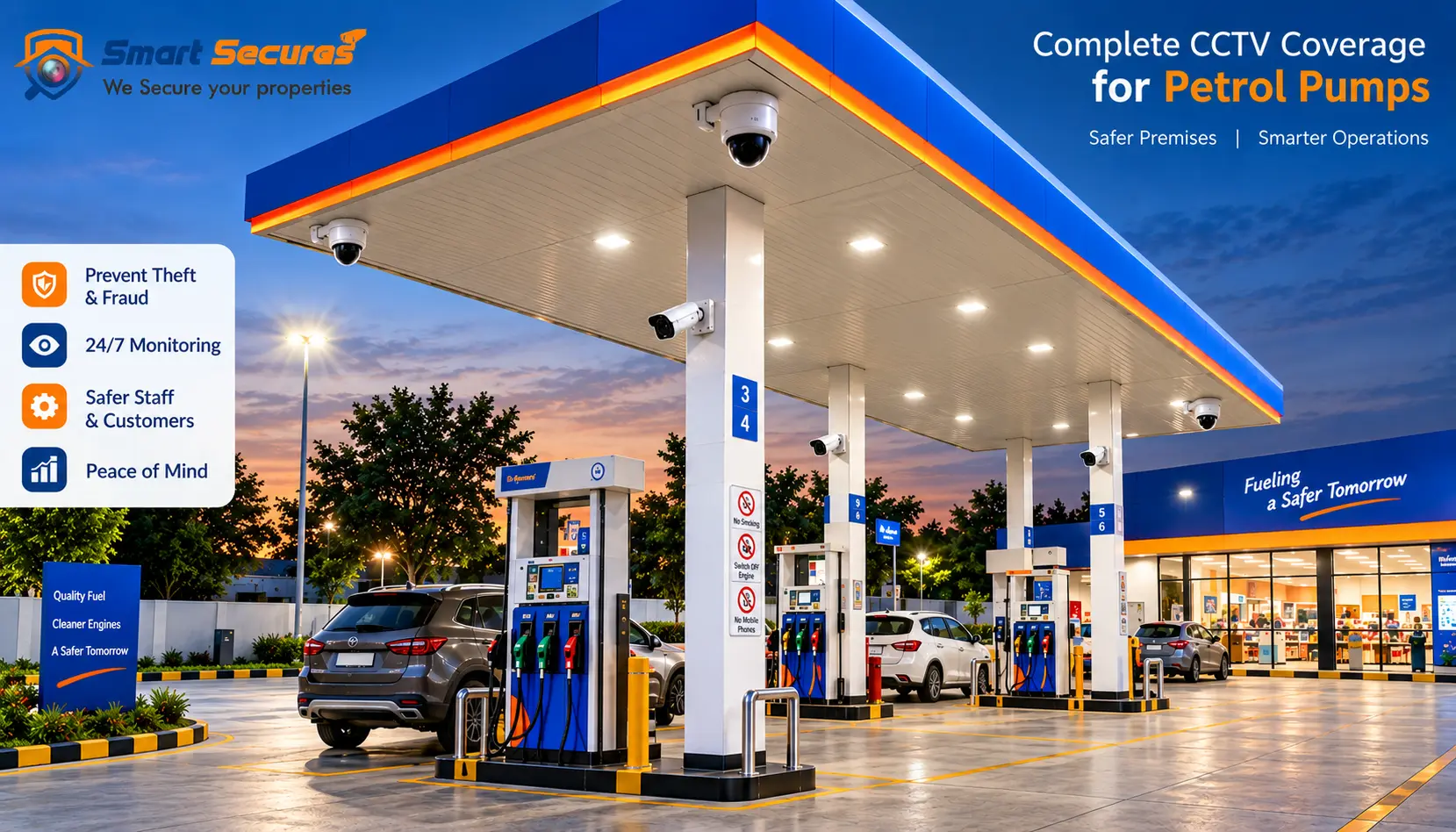
Most petrol pumps already have cameras. The problem is that many of them record a lot and prove very little. A wide camera on the canopy may show that something happened. It rarely shows who did it, which vehicle it was or what happened at the counter.
Where you place each camera decides whether the footage helps in a dispute, an insurance claim or a police enquiry. This guide gives you a zone-by-zone checklist, sample camera counts, common mistakes and a list to prepare before an installer visits. If you would rather have a professional plan it, see our petrol pump CCTV installation in Hyderabad service.
Where should CCTV cameras go at a petrol pump? Cover seven zones: dispenser islands, the cash counter, entry and exit lanes, the tank and tanker-unloading area, the forecourt, the boundary, and side areas such as parking or air-filling. Use close cameras for detail, such as faces, plates and payments. Use wide cameras for context. Place anything near fuel equipment only as your sites safety rules allow.
- Start With Three Questions
- Zone-by-Zone Placement Checklist
- Dispenser Islands
- Entry and Exit Lanes
- Tank and Tanker-Unloading Area
- Sample Camera Counts (Indicative)
- Height, Angle and Lighting
- Safety Note: Do Not DIY Near Fuel Equipment
- Eight Common Petrol Pump CCTV Mistakes
- Prepare Before the Site Survey
- Questions to Ask Your CCTV Installer
- FAQs
- Get a Placement Plan for Your Petrol Pump
Start With Three Questions
Before you choose a single camera spot, decide what you need the footage to prove.
1. What are your top risks? Cash shortages, fuel disputes, night theft, vandalism, tanker-unloading mismatches or staff issues. Each one points to a different zone.
2. What level of detail do you need? "Someone was there" needs a wide view. "Who was it?" or "Which vehicle?" needs a close, well-angled view.
3. Who will review the footage, and how? On site only, or remotely on a phone? Only the owner, or the manager too?
Your answers change the plan. A pump with cash worries needs strong counter and shift-handover coverage. A highway pump with heavy night traffic needs more attention on lanes and lighting.
Zone-by-Zone Placement Checklist
Use this table as a starting point. Your site layout may change it.
| Zone | What to Capture | Placement Tip | Common Miss |
|---|---|---|---|
| Dispenser Islands | Vehicle, dispenser, attendant, payment | Angle cameras along the island. Cover both ends of long islands | One high, wide camera for the whole row |
| Cash Counter | Counter, payment area, the person paying | A close camera on the counter plus a wide view of the room | Only a wide office shot that cannot show a transaction |
| Entry and Exit | Every vehicle in and out; plates if needed | One camera per lane, and an ANPR camera where you need plates | One camera for both lanes; headlight glare |
| Tank and Unloading Area | Who is present, tanker arrival and departure, restricted-area access | Plan around your hazardous-area layout. Confirm positions on site | Left uncovered because it feels "too sensitive" |
| Forecourt and Canopy | Movement, queues, general activity | Wide-angle or PTZ, overlapping with the detail cameras | Relying on it for close detail |
| Boundary | Walls, gates, back lanes, dark corners | Weatherproof cameras with good night performance | Gaps between cameras and unlit corners |
| Side Areas | Parking, air-filling, store, ATM, car wash | One camera for each activity area | Forgotten until an incident happens there |
Dispenser Islands
The goal is one clear view of three things: the vehicle, the dispenser and the person serving. A camera placed high and far away shows the roof of a car. A camera angled along the island shows who stood where. If a large vehicle blocks the view of the next one, add a second camera from the other end.
Entry and Exit Lanes
Give each lane its own camera. Vehicles move faster here, so the camera needs a steady, well-lit view. If you want number plates, use an ANPR camera aimed at the lane. Ordinary cameras often fail on plates at speed, and headlights can wash out the image. Ask for a test at night, not just in daylight.
Tank and Tanker-Unloading Area
Fuel deliveries are a quiet risk. Footage can show when the tanker arrived, who was present and how long the unloading took. This area is also close to fuel equipment, so camera positions must follow your sites safety rules. See the safety note below.
Sample Camera Counts (Indicative)
These are planning examples, not rules. A site survey confirms the real number.
| Zone | Small Pump (2 Islands, Small Office) | Larger Station (Store, Tanker Area, Long Boundary) |
|---|---|---|
| Dispenser Islands | 2–4 | 4–8 |
| Cash Counter and Office or Store | 2 | 2–4 |
| Entry and Exit (incl. ANPR if used) | 2 | 2–4 |
| Tank and Unloading Area | 1 | 1–3 |
| Forecourt (Wide or PTZ) | Included above | 2–3 |
| Boundary | 1–3 | 3–6 |
| Side Areas | None | 2–4 |
| Approximate Total | 8–12 | 16–32 or more |
More cameras are not always better. Every extra camera adds cabling, storage and maintenance. A few well-placed cameras beat many badly aimed ones.
Height, Angle and Lighting
Small details make a big difference to footage quality.
- Height: High enough to be out of easy reach, but low enough to see faces and plates. Too high and steep, and you mostly see the tops of heads and roofs. Your installer confirms the height on site.
- Angle: Aim to see faces, not the backs of heads. Think about which way people and vehicles will face when they reach the spot.
- Glare: Avoid pointing a camera straight at headlights, bright signage or the low sun. Cameras with WDR (wide dynamic range) cope better with mixed light.
- Night light: Good canopy and boundary lighting improves every camera. Full-colour cameras still need some light to work well.
- Weather: Use outdoor-rated, weatherproof cameras. Rain, dust and heat are daily conditions. Plan to clean lenses on a schedule.
- Cables and power: Protect them from vehicle traffic and damage. Follow your sites electrical safety rules.
Safety Note: Do Not DIY Near Fuel Equipment
Areas around dispensers, tank fill points and vent pipes can be classified as hazardous zones. In India, the Petroleum and Explosives Safety Organisation (PESO) regulates electrical equipment used in such areas. The IS/IEC 60079 series covers equipment for explosive atmospheres.
Standard cameras usually go outside classified zones. Equipment inside a zone needs the right explosion-protected certification. Do not mount or wire cameras yourself near fuel equipment. Use an installer who understands your sites classification, and check your licence conditions and OMC guidelines.
Eight Common Petrol Pump CCTV Mistakes
- 1. Mounting cameras too high. You get wide pictures with no detail.
- 2. Using one type of camera everywhere. Petrol pumps need a mix of close and wide views
- 3. Skipping the tanker-unloading area. It is often the biggest gap in coverage.
- 4. Ignoring night and glare. Test the cameras after dark, with vehicles moving.
- 5. Having no UPS. A short power cut can stop recording at the worst moment.
- 6. Buying too little storage. Footage gets overwritten within days, before anyone notices a problem.
- 7. Not checking that it records. A dead camera or a full disk often goes unnoticed for weeks.
- 8. Sharing one admin password. Give each person their own login, so footage cannot be deleted by the person under review.
Many of these overlap with common CCTV installation mistakes we see across Hyderabad. Regular maintenance catches the rest, which is what a CCTV AMC plan is for.
Prepare Before the Site Survey
A little preparation makes the survey faster and the quote more accurate. Gather:
- A layout drawing or a simple sketch of your site
- The number of dispenser islands and dispensers
- The location of the office, cash counter, store, ATM and tank area
- Details of any existing cameras and recorder
- Whether you have internet at the site, and who needs remote viewing
- Whether you have power backup
- How many days of footage you want to keep
- Any requirement from your OMC, insurer or local police
- Your top three risks
- Your budget range
Questions to Ask Your CCTV Installer
- Have you planned cameras near fuel dispensers and hazardous areas before?
- How do you handle positions inside classified zones?
- Which camera will you use in each zone, and why?
- How many days of storage will I get, and what happens after that?
- Will you set up remote viewing and separate logins?
- What does your AMC cover, and how often are visits?
- Will I get an itemised written quote?
- Is the work done by your own team?
Frequently Asked Questions
Get a Placement Plan for Your Petrol Pump
If you want an expert to plan the coverage for your site, book a free survey. We will visit, mark camera positions and send a written quote. You can also try our CCTV installation cost calculator for a first estimate.
